


Can your scanner send a fax? Learn the simple steps, best software options, and alternatives to faxing without a traditional fax machine.
Kategori: Printing Guide
Learn how to print documents correctly with step-by-step printing guides. Tutorials for test pages, double-sided printing, mobile printing, and printer setup.
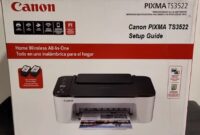
Canon PIXMA TS3522 Setup – Step-by-Step Installation!
Learn how to set up your Canon PIXMA TS3522, connect it to WiFi, and install drivers for smooth, hassle-free printing on any device.
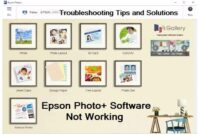
Epson Photo+ Not Working? Here’s the Ultimate Fix!
Learn how to fix Epson Photo+ not working issues, crashes, and errors with this easy guide. Step-by-step solutions for Windows and Mac.
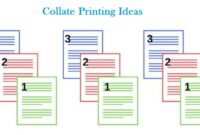
10+ Amazing Collate Printing Ideas to Optimize Your Prints
Want to improve your printing workflow? Check out these amazing collate printing ideas to save time, reduce errors, and enhance productivity!
How to Send a Fax Without a Landline – The Ultimate Guide
Discover how to fax without a landline, saving time and money with simple online solutions. Faxing has never been easier!

Canon PIXMA TS3522 WiFi Setup – Step-by-Step Guide
Learn how to set up your Canon PIXMA TS3522 printer wirelessly with this simple step-by-step guide. Connect and start printing in no time!

How to Clean a Print Head for Perfect Prints Every Time
Restore your printer’s performance with effective print head cleaning techniques. Follow our step-by-step solutions to fix streaks, clogs, and poor prints now!
Canon IJ Printer Assistant Tool Setup – Easy & Fast Guide
Need help setting up the Canon IJ Printer Assistant Tool? Follow this simple guide for quick installation and troubleshooting.

Printer Error Code FAQ – Quick Fixes & Expert Solutions
Confused by printer error codes? Our comprehensive Printer Error Code FAQ has quick fixes and expert solutions to get your printer running smoothly.
Brother P-touch Manual Download – Quick & Easy Guide
Looking for a Brother P-touch manual download? Get step-by-step instructions, troubleshooting tips, and setup guidance in one easy-to-follow guide.