

Epson power cleaning ET 2760 is a special maintenance process. It helps fix clogged printheads when regular cleaning does not work. On the Epson ET 2760, dried ink can build up in the nozzles.
This article explains what Epson Power Cleaning is. It also covers when to use it, how to do it correctly on the ET 2760, and how to avoid similar problems in the future.
What Is Epson Power Cleaning ET 2760?
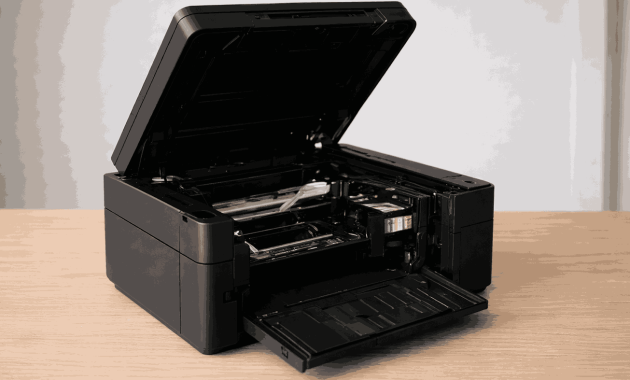

Epson Power Cleaning ET2760 is an intensive cleaning process built into the printer’s maintenance system. It works by pushing a high volume of ink through the printhead at increased pressure to remove hardened or long-standing ink clogs inside the nozzles.
Power Cleaning uses much more ink than standard head cleaning. It also puts more stress on the ink delivery system. The Epson ET 2760 has a permanent Micro Piezo printhead.
This feature is meant for recovery, not regular maintenance. It should only be used when regular cleaning cycles no longer restore print quality.
When Should Epson Power Cleaning ET 2760 Be Used?
Knowing the right moment to use Power Cleaning is critical. This feature is generally appropriate when:
- Printouts continue to show missing colors or lines after multiple tests
- Nozzle check patterns display repeated or severe gaps
- Two standard head cleaning cycles fail to improve results
- The printer has been unused for several weeks or months
You should avoid using the Epson Power Cleaning ET 2760 if the ink levels are low. Also, stay away if maintenance warnings are shown or if the printer often displays error messages.
Using Power Cleaning too often can increase ink waste and accelerate internal wear. As a general guideline, Power Cleaning should not be run more than two times within a 24-hour period.
Steps to Clean the Printhead of Epson ET 2760 with Power Cleaning

- Prepare the printer and check ink levels
Before starting Epson Power Cleaning ET 2760, ensure the printer is turned on and idle. All ink tanks should be filled to a safe level, ideally above 50 percent.
Power Cleaning uses a lot of ink. If the ink levels are too low, air can get into the ink system. This can make print quality worse.
- Perform a nozzle check to evaluate any blockage
Perform a nozzle check to evaluate the severity of the problem. This test helps determine whether the issue is minor or requires deeper cleaning.
If only a few lines are missing, standard head cleaning may still be effective. Power Cleaning should only be considered when gaps are consistent and affect multiple colors.
- Perform standard head cleaning first
Epson Power Cleaning ET 2760 should not be the first step. Run the normal head cleaning cycle once or twice and check the results.
If print quality improves, there is no need to continue. Power Cleaning should only be used when standard cleaning fails to produce visible improvement.
- Open the Power Cleaning option on the ET 2760
Open the Epson printer utility on your computer and navigate to the maintenance or head cleaning section. Select the Power Cleaning option when it becomes available.
If the option does not appear, ink levels may be too low or the printer may require attention for maintenance warnings.
- Start the Power Cleaning process and wait
After confirming the warning about increased ink usage, allow the printer to run the Power Cleaning cycle without interruption.
Typically, the procedure requires around 10 to 15 minutes. Please do not turn off the printer, unplug the power cable, or send print jobs during this time. Interruptions can disrupt the ink pressure inside the printhead.
- Let the printer rest after cleaning
Once the Power Cleaning cycle is complete, leave the printer idle for several minutes. This resting period allows ink pressure to stabilize and helps prevent inconsistent results during testing.
- Run another nozzle check to evaluate results
After the resting period, perform another nozzle check to see whether print quality has improved. Clear and complete nozzle patterns indicate successful cleaning.
If the improvement is only partial, you can try one more Power Cleaning cycle. However, do not repeat it more than twice in 24 hours.
- Stop cleaning if no improvement is visible
If there is no noticeable improvement after two Power Cleaning cycles, further attempts are unlikely to help.
Continuing the process may waste ink and increase the risk of internal maintenance errors. At this point, professional servicing or alternative solutions should be considered.
Ink Usage and Maintenance Impact
Epson Power Cleaning ET 2760 uses considerably more ink than standard cleaning. Each cycle pushes excess ink into internal absorber pads that are not designed for frequent saturation.
Over time, repeated deep cleaning can trigger maintenance warnings and require service intervention.
Because of this, Power Cleaning should be used only when necessary and never as part of routine maintenance.
What to Do If Epson Power Cleaning ET 2760 Does Not Work?
If Power Cleaning does not restore print quality, the clog may be too severe or the printhead may have underlying mechanical or electrical issues.
The ET 2760 printhead is hard to replace. So, it’s important to see if getting professional help is cheaper than buying a new printer.
Stopping further cleaning attempts at the right time can prevent unnecessary ink waste and additional damage.
How to Prevent Future Printhead Clogs on the Epson ET 2760?
Preventive maintenance is the most effective way to avoid deep cleaning. Regular printer use keeps ink flowing and reduces the chance of drying inside the printhead.
Printing a color page once a week, performing occasional nozzle checks, and keeping the printer in a stable environment with moderate humidity can significantly reduce clogging issues.
Printers that are used consistently rarely require Epson Power Cleaning ET-2760.
Conclusion
Epson Power Cleaning ET 2760 is a powerful recovery feature designed to resolve serious printhead clogs when standard maintenance no longer works. When used carefully and sparingly, it can restore print quality and extend the life of the printer.
When overused, it leads to increased ink consumption, maintenance warnings, and higher long-term costs.
The key is knowing when to use it and when to stop. With proper diagnosis and consistent preventive habits, most Epson ET 2760 users can maintain reliable print performance without frequent deep cleaning.
Read More: What Is Standard Printer Paper Size? Complete 2026 Guide!