


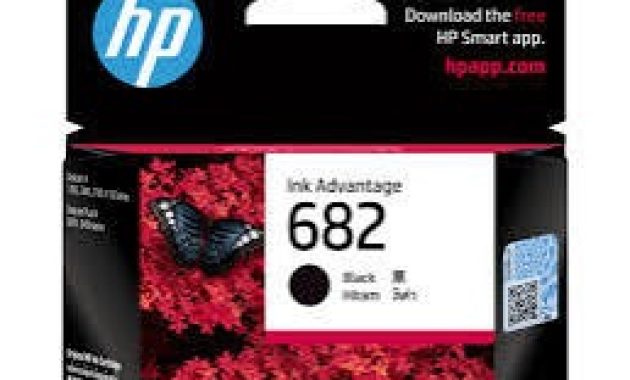
Source: Website HP
An HP inkjet printer cartridge is one of the most important components in any HP inkjet printer. It stores and delivers ink to the print head so the printer can produce clear text and sharp images.
Understanding how an HP inkjet printer cartridge works helps users maintain their printers and avoid common printing problems.
Many users only think about cartridges when the ink runs out. However, knowing the different types of HP inkjet printer cartridges, their cost, and compatibility can help you save money and keep your printer working efficiently.
Proper cartridge maintenance also improves print quality and extends printer life.
Why Printer Maintenance Is Important
Regular printer maintenance helps keep your printer running smoothly and prevents unexpected printing issues.
Ink cartridges can dry out, clog, or become misaligned if the printer is rarely used or poorly maintained. This can lead to faded prints, streaks, or completely blank pages.
Ignoring printer maintenance may also cause higher ink consumption. When the printer struggles with clogged nozzles or dried ink, it uses more ink to clean the print head automatically.
Over time, this can increase printing costs and reduce the lifespan of your inkjet printer cartridge.
Maintaining your printer and cartridges regularly ensures consistent print quality. It also reduces the risk of expensive repairs or replacing the printer earlier than expected.
Types of HP Inkjet Printer Cartridges

Source: Freepik
Understanding the types of HP inkjet printer cartridges helps you choose the right cartridge for your printer model. HP generally provides two main cartridge systems for inkjet printers.
1. Integrated Print Head Cartridges
These cartridges include both the ink tank and the print head in one unit. When the cartridge is replaced, the print head is also replaced automatically. This design helps prevent long-term clogging problems.
These cartridges are commonly found in many entry-level HP printer inkjet models. They are convenient but usually cost more per page compared to other systems.
2. Separate Ink Tank Cartridges
Some HP printers use cartridges where the print head is separate from the ink tank. Only the ink tank needs replacement when it runs out.
This type is more cost-efficient for frequent printing. It is commonly used in office printers or high-volume printing environments.
Estimated Cost of HP Inkjet Printer Cartridges
The cost of an HP inkjet printer cartridge depends on the printer model and cartridge type. Standard cartridges usually cost less but contain less ink.
High-yield cartridges are more expensive initially but provide more pages per cartridge. This makes them more economical for users who print frequently.
Many users also consider compatible or third-party cartridges to reduce printing costs. However, it is important to ensure compatibility with your HP printer inkjet model to avoid printer errors.
Step-by-Step Printer Maintenance Guide
Proper cartridge maintenance can improve print quality and prevent damage to your printer. Follow these simple steps to keep your printer in good condition.
1. Check Ink Levels
Regularly checking ink levels helps prevent printing interruptions. Most HP printers allow you to monitor cartridge levels through the printer software.
1.Open the HP printer software on your computer.
2.Access the printer status or ink level settings.
3.Change the cartridge if the ink is nearly empty.
This simple step ensures your HP inkjet printer cartridges do not run completely dry.
2. Clean the Print Head
Print head cleaning helps remove dried ink that may block the cartridge nozzles. This process improves print quality and eliminates streaks or faded prints.
1.Open the printer maintenance menu in your HP software.
2.Select the “Clean Printhead” option.
3.Run the cleaning cycle and print a test page.
Regular cleaning keeps the inkjet printer cartridge working properly.
3. Clean Paper Rollers
Dirty rollers can cause paper jams and misaligned printing. Cleaning them ensures smooth paper feeding during printing.
1.Turn off and unplug the printer.
2.Use a lint-free cloth slightly dampened with water.
3.Gently wipe the paper rollers and allow them to dry.
4.Clean rollers also prevent smudges on printed pages.
Common Printer Maintenance Problems
Even with proper care, users may still encounter cartridge-related issues. Understanding these problems helps you fix them quickly.
1. Ink Runs Out Quickly
Sometimes users feel their cartridges empty too fast. This can happen due to frequent automatic cleaning cycles or printing in high-quality mode.
Reducing unnecessary cleaning cycles and using draft mode for basic printing can help save ink.
2. Blurry or Streaky Prints
Blurry prints usually occur when the print head is clogged or misaligned. Running a print head cleaning cycle often fixes the problem.
If the issue continues, the HP inkjet printer cartridge may need replacement.
3. Printer Not Detecting Cartridge
Some printers may show cartridge errors after installation. This usually happens if the cartridge contacts are dirty or the cartridge is incompatible.
Cleaning the cartridge contacts and reinstalling it often resolves the issue.
Tips to Extend Printer Life
Proper care can extend both printer and cartridge lifespan. Following a few simple habits can prevent many common printing issues.
Use your printer regularly to prevent ink from drying inside the cartridge. Printing a test page once a week keeps the ink flowing smoothly.
Always store spare HP inkjet printer cartridges in a cool and dry place. Heat and direct sunlight can damage the ink and reduce cartridge performance.
Finally, always install cartridges that are compatible with your HP printer inkjet model. Using the wrong cartridge can cause recognition errors or poor print quality.
FAQ
1. What is an HP inkjet printer cartridge?
An HP inkjet printer cartridge is a replaceable component that contains ink used by HP inkjet printers. It delivers ink through small nozzles to produce text and images on paper.
2. How long does an HP inkjet printer cartridge last?
Cartridge lifespan depends on printing frequency and cartridge capacity. A standard cartridge may print around 100–300 pages, while high-yield cartridges can print more.
3. Can I use compatible cartridges with HP printers?
Yes, many printers support compatible cartridges. However, you should ensure the cartridge is designed for your specific printer model to avoid errors.
4. Why is my HP inkjet cartridge not printing properly?
This issue is often caused by clogged print heads, low ink levels, or incorrect cartridge installation. Cleaning the print head or reinstalling the cartridge usually fixes the problem.
Conclusion
Understanding the HP inkjet printer cartridge helps users maintain their printers and improve printing efficiency. Knowing the types of cartridges, their costs, and compatibility ensures you choose the right option for your printer.
Regular maintenance such as checking ink levels, cleaning print heads, and maintaining paper rollers can prevent many common printing problems. These simple steps help extend the life of both the printer and its cartridges.
With proper care and the right HP inkjet printer cartridges, your printer can deliver consistent, high-quality prints for a long time.
Read More: 10 Recommendation Dye Sublimation Best Printer for Beginners