

Inkjet printers are popular for home and office use because they produce high-quality prints and are relatively affordable. However, many users quickly realize that the inkjet printer cartridge price can significantly affect long-term printing costs.
Understanding cartridge prices across different brands helps users choose the right printer and manage maintenance expenses more efficiently.
In this guide, we will compare cartridge prices from major brands and explain how proper maintenance can help you reduce ink costs and extend printer life.
Why Printer Maintenance Is Important

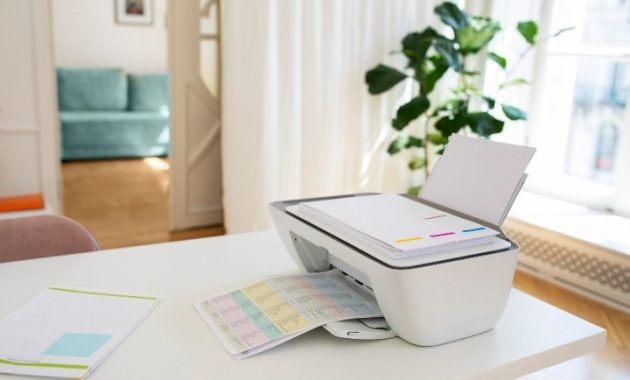
Source:Freepik
Regular printer maintenance plays a crucial role in maintaining print quality and preventing unnecessary expenses.
When a printer is not maintained properly, several issues may occur. Ink cartridges may dry out faster, print heads can become clogged, and paper rollers may accumulate dust. These problems often lead to blurry prints, streaky pages, or wasted ink.
Another reason maintenance matters is cost efficiency. Since the inkjet printer cartridge price can be relatively expensive, ensuring the printer operates efficiently helps prevent wasted ink and frequent cartridge replacements.
Regular care also helps extend the lifespan of your printer, reducing the need for repairs or replacements.
Step-by-Step Maintenance Guide
Maintaining an inkjet printer is relatively simple. Follow these step-by-step maintenance practices to keep your printer running smoothly.
1. Clean the Print Head
The print head distributes ink onto the paper. If it becomes clogged, print quality will decline.
Steps to clean the print head:
1.Start your printer and launch the printer control software on your computer.
2.Navigate to Maintenance or Tools in the printer settings.
3.Select Print Head Cleaning.
4.Run the automatic cleaning cycle.
5.Print a test page to check the results.
6.If the issue persists, run the cleaning cycle once more.
2. Check Ink Levels Regularly
Monitoring ink levels helps prevent printing interruptions and avoids damage to the printer.
Steps to check ink levels:
1.Open the printer software or control panel.
Locate the Ink Levels or Supply Status section.
Check which cartridges are running low.
Replace the cartridge before it becomes completely empty.
Knowing the HP inkjet printer cartridge price or other brand costs ahead of time also helps you prepare for replacements.
3. Clean the Paper Rollers
Dirty rollers may cause paper jams or misfeeds.
Steps to clean rollers:
1.Turn off and unplug the printer.
2.Open the rear access panel.
3.Use a lint-free cloth slightly dampened with water.
4.Gently wipe the rubber rollers.
Wait until they are fully dry before restarting the printer.
Inkjet Cartridge Price Comparison
Different brands offer varying cartridge prices depending on model and capacity. Understanding the inkjet printer cartridge price for each brand helps you estimate printing costs.
HP Cartridge Pricing
The HP inkjet printer cartridge price typically ranges from $15 to $45 depending on the cartridge type.
Standard cartridges are cheaper but hold less ink. High-yield cartridges cost more initially but provide more pages and better value for frequent printing.
HP printers are widely used in homes and small offices due to their reliability and easy cartridge replacement.
Canon Cartridge Pricing
The Canon inkjet printer cartridge price usually falls between $12 and $40 depending on the printer model.
Canon cartridges often come in separate color tanks, allowing users to replace only the color that runs out. This design can reduce overall printing costs.
Canon printers are known for producing excellent photo prints, making them popular among photographers and creative users.
Brother Cartridge Pricing
The Brother inkjet printer cartridge price is typically between $20 and $50.
Brother printers often use high-capacity cartridges that last longer. While the initial cost may be slightly higher, the cost per page can be lower compared to other brands.
This makes Brother printers a good choice for users who print frequently.
Common Maintenance Problems
Even with proper care, some maintenance issues may still occur.
Ink Runs Out Too Quickly
This problem may happen due to:
1.Frequent print head cleaning
2.Draft printing disabled
3.Printing high-resolution images often
Using high-yield cartridges can help reduce frequent replacements, especially considering the inkjet printer cartridge price.
Blurry or Faded Prints
Blurry prints are usually caused by clogged print heads or low ink levels.
Running a print head cleaning cycle and replacing empty cartridges usually solves this problem.
Printer Not Detecting Cartridge
Sometimes the printer may not recognize a newly installed cartridge.
Possible solutions include:
1.Removing and reinstalling the cartridge
2.Cleaning the cartridge contacts
3.Restarting the printer
Tips to Extend Printer Life

Source: Freepik
Proper habits can significantly extend the life of your printer and reduce maintenance costs.
1. Print regularly
Printing a few pages each week prevents ink from drying in the nozzles.
2. Use genuine cartridges
Original cartridges often provide better compatibility and reduce the risk of leaks or clogs.
3. Turn off the printer properly
Always use the power button rather than unplugging the printer directly.
4. Keep the printer clean
Dust accumulation inside the printer can affect print quality and paper feeding.
FAQ
1. How much does an inkjet printer cartridge cost?
The inkjet printer cartridge price generally ranges from $12 to $50, depending on the brand and cartridge capacity.
2. Which brand has the cheapest cartridges?
Canon cartridges are often slightly cheaper, while Brother cartridges may provide better value due to their higher page yield.
3. Are high-yield cartridges worth it?
Yes. High-yield cartridges cost more initially but produce more pages, reducing the cost per print.
4. How often should I clean the print head?
You should only clean the print head when print quality decreases. Running cleaning cycles too often can waste ink.
Conclusion
Understanding the inkjet printer cartridge price across different brands can help users manage printing costs more effectively. HP, Canon, and Brother all offer different pricing structures and cartridge capacities.
Regular printer maintenance such as cleaning the print head, checking ink levels, and keeping rollers clean, can significantly reduce ink waste and prevent printing problems.
By combining proper maintenance with smart cartridge choices, you can keep your printer running efficiently while minimizing long-term printing expenses.
Read More: 10 Best Printer for Home Office 2026